What the Activity Log shows
Every meaningful action in your organization is logged. The Activity Log is the searchable, filterable view of that history.
You'll find:
- Who did the action (user)
- When they did it (timestamp)
- What they did (created, updated, deleted, posted, reversed, approved, archived)
- Which entity was affected (the specific transaction, journal entry, wallet, account, contact, or organization setting)
- What changed (the before-and-after values, where applicable)
For accountability, audit, debugging, this is the source of truth.
How to open it
- Click Reports in the left sidebar
- Click Activity Log tab
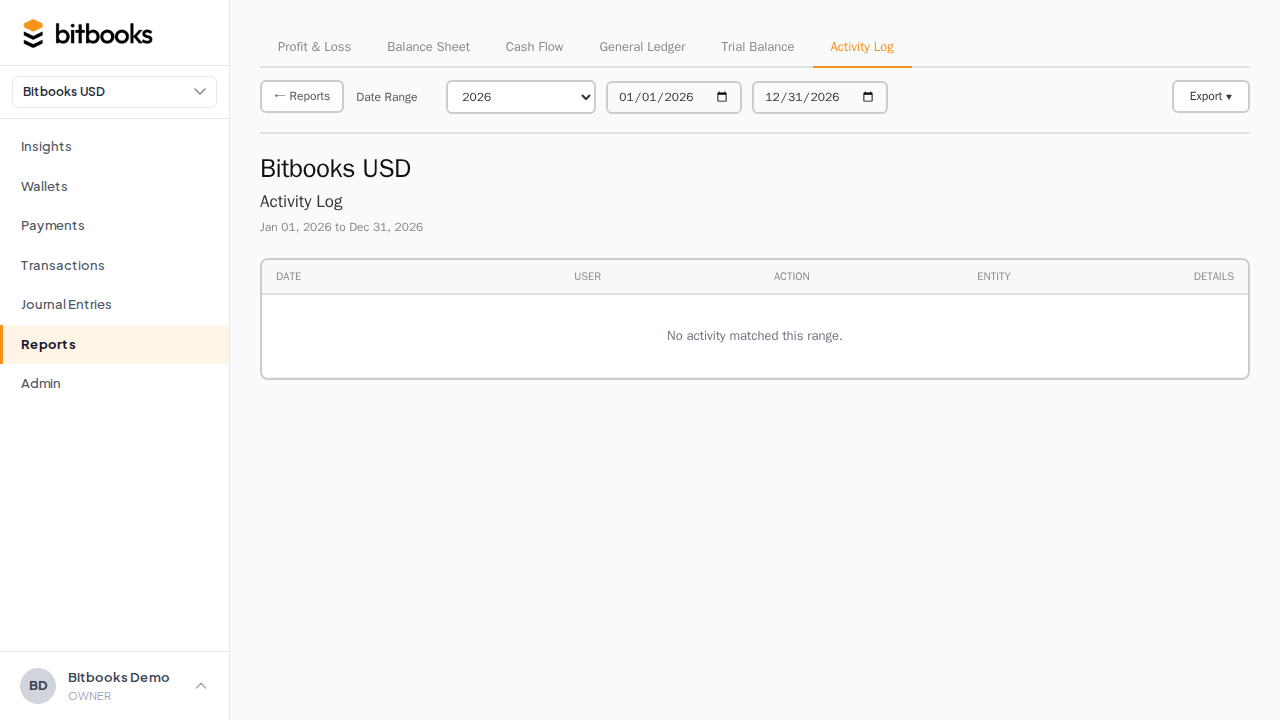
You can also jump there from the Insights page (the activity link in the header) or from a specific entity (every entity's detail page has an "View activity" link that pre-filters).
What appears in the log
The actions tracked:
| Action | When it fires |
|---|---|
| CREATE | A new entity is created (transaction, journal entry, wallet, account, contact) |
| UPDATE | An entity's fields are changed |
| DELETE | An entity is deleted (rare, only Drafts) |
| POST | A Draft becomes Posted |
| APPROVE | A Pending entry is approved |
| REVERSE | A Posted entry is reversed |
| ARCHIVE | An entity is soft-deleted (e.g., archiving a wallet or account) |
Plus organization-level events:
- Settings changes (currency, lock date, etc.)
- User invitations and removals
- Role changes
Each row shows
2026-04-15 14:23  Brandon Janis  UPDATE  Transaction TX-001245
                                          changed: amount $1,000 -> $1,500
Click the row to see more detail: the full diff (before/after for every changed field), the user's IP address (if available), the related entities, and a link to the affected entity.
Filtering
The Activity Log supports filters:
- Date range. Default last 30 days. Adjustable to any range.
- User. Filter to actions by one specific user.
- Action type. Show only CREATEs, only UPDATEs, etc.
- Entity type. Show only transactions, only journal entries, only wallets, etc.
- Specific entity. Show only the activity for one specific transaction or wallet.
Combine to drill in. "Show me everything Brandon did to journal entries last week" is a few clicks.
Common uses
Investigating a wrong number
Run the Trial Balance. It's off by $500. You suspect someone edited a Posted entry recently.
Open the Activity Log, filter to: action = UPDATE, last 7 days, entity type = Journal Entry.
The recent updates show up. Each one shows what was changed. Spot the $500 change and you've found the cause.
Auditing a team member's work
Your bookkeeper just finished their first week. You want to spot-check.
Open the Activity Log, filter to: user = the bookkeeper, last 7 days.
Skim through the actions. Are they creating reasonable transactions? Categorizing correctly? Anything that looks off?
This isn't surveillance; it's normal supervisor practice for new staff.
Understanding how a wrong entry happened
A specific transaction has been Reversed and re-posted. You want to know why.
Find the transaction. Click "View activity." See:
- Who created the original
- Who posted it
- Who reversed it (with the reason in the memo, if they wrote one)
- Who created the corrected entry
The full lifecycle.
Compliance review
Annually, an external auditor or accountant reviews your books. They'll often want the Activity Log for the year, exported, as evidence of the audit trail.
Run for the year, export to PDF or Excel, hand over.
What's NOT in the Activity Log
- Read actions. Just viewing a report or browsing transactions doesn't generate log entries. Only changes are logged.
- Notifications. The Notifications bell shows recent activity in a curated way, but the Activity Log is the comprehensive record.
- Detail of every Draft change. Drafts can be edited freely without each edit hitting the log; Drafts are work-in-progress. Once Posted, all subsequent changes are logged.
For Draft-stage tracking, you'd need to look at the Draft's current state, not its history.
Retention
Activity Log entries are kept indefinitely. They're part of your books' permanent record.
If your organization has years of activity, the log can be large (50,000+ entries for a busy multi-year business). The UI paginates; filters keep it manageable.
Common questions
"Can I delete entries from the Activity Log?"
No. The whole point is that it's a permanent record. Deletion would defeat the purpose.
"Can I export the Activity Log?"
Yes. Click Export at the top. Choose PDF or Excel. The export includes whatever filters you have applied.
"Does the Activity Log show changes to settings (like the Lock Date)?"
Yes. Organization settings changes (currency, lock date, BTC display preference) all generate log entries.
"Who can see the Activity Log?"
Owners and Admins by default. Accountants typically also have access. Members and Viewers depend on org configuration. See User Roles.
"Can I see who logged in and when?"
Sign-in events aren't in the Activity Log (which is about data changes). For login audit, talk to support; we have separate audit data on the back end available on request.
Where to go next
- Notifications, Ledger Health, Activity Log for the dashboard widget version
- General Ledger for transaction-by-transaction account detail
- User Roles for who can see what
- Period Close for how locking interacts with the audit trail