When this happens
You set up your organization with one functional currency, but circumstances changed. Common cases:
- Your business expanded internationally and most operations are now in a different currency
- You started in fiat and have transitioned to a Bitcoin-functional treasury
- You realized at setup time you picked the wrong currency
- Your accountant recommends a change for tax or reporting reasons
This is a real but uncommon event. Most businesses set the functional currency once and never change it.
Before you change
A few things to do first:
- Talk to your accountant. A functional currency change is a material accounting event. Get advice on whether and when to make the change, and how to handle it on your tax filings.
- Reconcile and close any open periods. Make sure your books are clean before the switch.
- Pick an effective date. The change needs an effective date. Common: the start of a fiscal year, the start of a quarter, or the date of the operational change that prompted the switch.
- Document the reason. You'll need to provide a written audit reason in BitBooks. Think about what you'll write before you click.
Don't make this change in the middle of tax season or on the day you're about to send reports to investors.
How to change
- Go to Admin → Settings
- Find the Primary accounting currency dropdown
- Pick the new value (or change the functional currency type from FIAT to BITCOIN, or vice versa)
- The save button surfaces additional fields: Effective date and Audit reason
- Fill in both
- Click Save
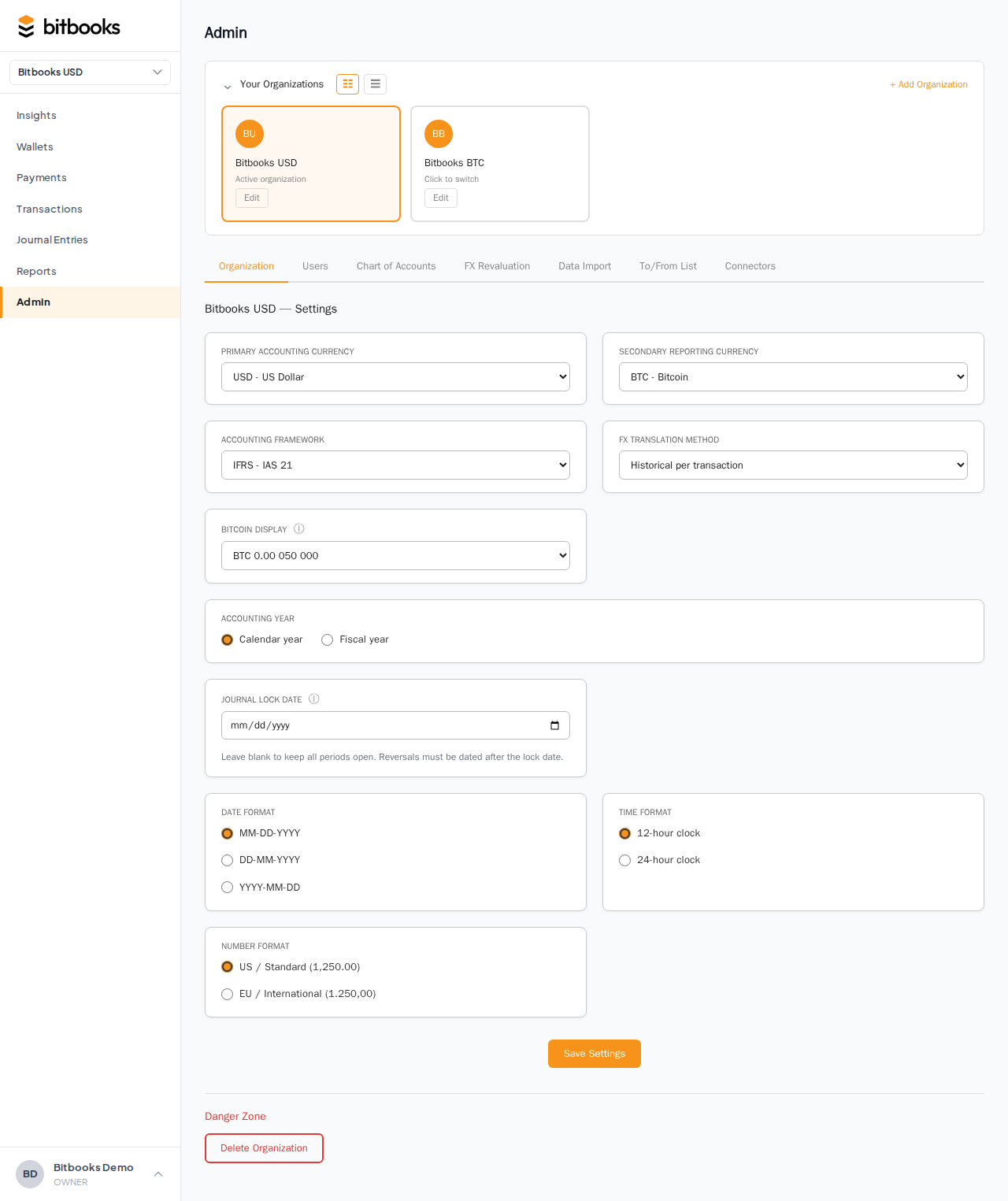
The audit reason needs at least 40 characters. This isn't a hurdle for hurdle's sake; it's the minimum for a meaningful explanation.
Examples of good audit reasons:
- "Business is now primarily operating in EUR following acquisition by European parent. CFO approved on 2026-04-15. Effective date matches fiscal year start."
- "Switching to BTC functional reflects treasury reserve restructuring. All ongoing operations are in BTC; fiat reporting handled via secondary reporting currency. Approved by board 2026-03-22."
- "Initial setup mistakenly used USD instead of CAD. Business has always been Canadian-operating. Correcting from go-live date."
What happens after the change
Transactions before the effective date
They keep their old functional currency. The functional values calculated under the old currency stay frozen.
Transactions on or after the effective date
They use the new functional currency. New entries posted from now on are denominated in the new currency.
Reports
Reports for periods entirely before the change use the old currency. Reports for periods entirely after the change use the new currency. Reports that span the change date are more complex; talk to your accountant about how to present them. BitBooks will show a notice indicating the change happened during the period.
Underlying data
The transactional currencies on each entry don't change. They were always whatever they were (BTC, EUR, etc.). What changes is the functional translation: pre-change entries translated under the old functional currency, post-change under the new.
A worked example
You're a Canadian sub of a US parent. You've been running CAD-functional. The parent acquires another business in the US and reorganizes; you're now reporting US-side directly.
You decide to switch to USD-functional, effective 2026-07-01 (start of Q3).
Before the change:
- Functional: CAD
- Q1 and Q2 reports: in CAD
- 1,000 entries in the books
After the change:
- Functional: USD (effective 2026-07-01)
- Q3 entries onward: in USD
- Q1 + Q2 reports stay in CAD (historical record)
- Q3 + Q4 reports are in USD
- A 12-month "year to date" report at year-end requires combining; talk to your accountant about presentation
What can prevent the change
A few things would block or warn:
- Open periods with unresolved entries. Reconcile and close before changing.
- Pending exchange rates that haven't resolved. Retry pending rates first.
- Unbalanced books. Run the Trial Balance; fix any imbalance first.
- No audit reason provided. The form requires a reason of at least 40 characters.
If BitBooks shows an error when you try to save, fix the underlying issue and retry.
What if your org has no transactions yet?
If you set up an organization, picked the wrong currency, and haven't entered anything, the change is no big deal. BitBooks recognizes that an empty org's currency change doesn't have audit implications. It allows the change without the audit reason gate.
You'll see a different (simpler) save flow if your org is empty. Just pick the new currency and save.
What can't be undone
After a change, you can change again (back to the original currency, or to a third currency). Each change is a new event with its own effective date and audit reason. Both stay in the audit trail.
You can't "delete" a past change. The history of changes is permanent.
Common questions
"Will my Bitcoin holdings revalue?"
The Bitcoin amounts (in sats) don't change. The functional-currency representation does. Going from CAD to USD means BTC balances are now translated to USD instead of CAD. You may want to run an FX revaluation around the change date to formally book the impact.
"Will I lose my historical reports?"
No. Historical reports stay computable. They display in the functional currency that was effective during their period. The underlying entries are unchanged.
"What if my year-end is right around the change?"
Best practice: change at the start of a fiscal year, not mid-year. This avoids the awkward year-spanning translation. If you must change mid-year, talk to your accountant about how to present the year-end report.
Where to go next
- Setting Your Functional Currency for the initial setup
- The Three-Currency Model for the broader framework
- Tracking Bitcoin Value Changes if a revaluation is needed
- Period Close for closing periods cleanly before the change