What an exchange rate does
When a transaction happens in one currency but your books are kept in another, you need to convert. A €1,000 expense at a moment when 1 EUR = 1.08 USD becomes $1,080 on the USD-functional books.
The rate is a translator. BitBooks fetches rates automatically and pins them to transactions so the conversion is locked in.
Where rates come from
BitBooks uses different data sources for different kinds of currencies:
- Fiat-to-fiat rates (USD/EUR, CAD/USD, etc.) come from Open Exchange Rates by default
- Bitcoin pricing (BTC/USD, BTC/EUR, etc.) comes from CoinGecko by default
Both update frequently (multiple times per hour). When you post a transaction, BitBooks looks up the rate for the transaction's date and currency pair, stores it with the transaction, and uses it for the conversion.
You can change the providers in Admin → Settings under exchange providers, but the defaults work for almost everyone.
"Rate-pinned" transactions
When a transaction is created, BitBooks fetches the rate at that moment and pins it to the transaction. The rate stays with the transaction forever, even if the live market rate changes later.
This is required by accounting standards. Historical transactions should reflect the rate at the time of the transaction, not the rate today.
The rate is stored on the transaction's journal entry line. If you ever need to see what rate was used, click the transaction and look at the line detail.
How rates are bucketed
Behind the scenes, BitBooks doesn't store a separate rate per transaction. It stores rates in time buckets:
- Day-level buckets for most currencies (one rate per day)
- 5-minute buckets for high-volatility currencies like BTC
A transaction posted on 2026-05-01 looks up the bucket for that day (or that 5-minute window for BTC) and uses the rate from that bucket. Two transactions posted on the same day use the same rate.
Why this matters: a rounding cent of difference between transactions on the same day usually isn't a bug, it's just different rate bucket alignment.
When rates can be "Pending"
Sometimes BitBooks tries to fetch a rate but can't. Reasons:
- The rate provider's API was down at the moment of fetching
- An obscure currency pair (rare currencies that providers don't cover daily)
- A rate-limit on the provider that throttled us
- A future-dated transaction (the rate doesn't exist yet)
When this happens, the transaction's line is flagged rate pending. The conversion isn't resolved. The transaction is still recorded, but reports won't include the converted value (or will show it as 0) until the rate is fetched.
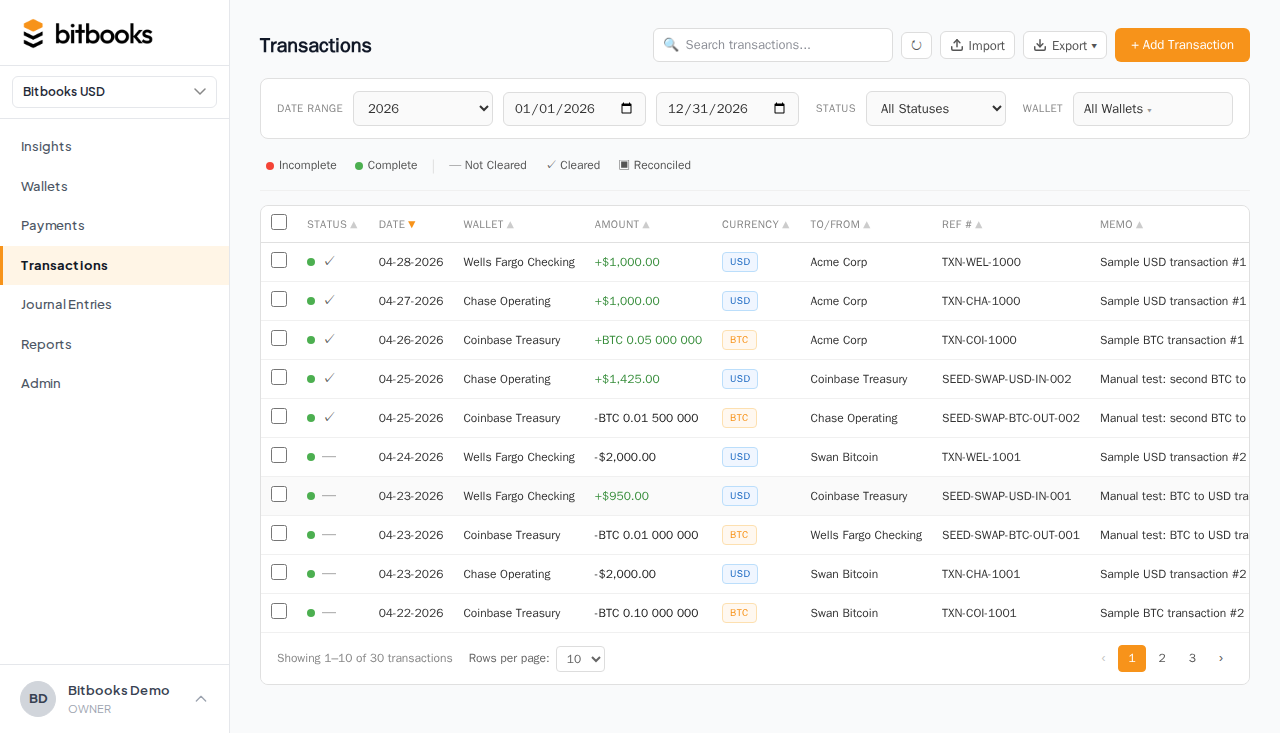
To resolve pending rates:
- Look for the pending rates banner at the top of Transactions or Journal Entries
- Click Retry
- BitBooks tries to fetch the rates again
If the original problem (provider downtime) is over, the rates resolve and the transactions become fully calculated.
For rates that fundamentally can't be fetched (unsupported currency, far-future date), you may need to enter a manual rate. See Wrong Exchange Rate on a Transaction.
Manual rate override
If the auto-fetched rate is wrong (e.g., you got a slightly different rate at the actual point of trade), you can override.
In Advanced Mode (Journal Entries), open the entry, click into a multi-currency line, and enter a manual rate. The line stores the override; the conversion uses your value.
The override is recorded for audit. Anyone reading the entry later can see that a manual rate was used and what it was.
Multi-currency reports
If you have a secondary reporting currency set, reports can be displayed in either functional or reporting currency.
The display rate at the top of the report (functional → reporting) is the "as-of" rate at the report's end date. So a P&L for January 2026 displayed in USD when functional is CAD uses the CAD/USD rate at January 31, 2026 to translate.
Note: this is a display-only translation. The underlying entries kept their original transactional rates. The reporting currency view is a re-presentation, not a re-recording.
When rates affect gain/loss
A few cases where exchange rates create gains or losses:
You hold non-functional currency
If your functional currency is USD but you have a CAD bank account, the value of that CAD balance in USD changes every day as the CAD/USD rate moves. Periodically, you book this change as an FX gain or loss via revaluation. See Tracking Bitcoin Value Changes (the same mechanism applies to fiat foreign currency).
You sell at a different rate than you bought
You bought BTC at $50,000 each. You sell at $80,000 each. The $30,000 per BTC difference is a realized gain. Recorded explicitly via Recording a Bitcoin Sale.
Inflation between booking and payment
Less common, mostly for businesses with long credit terms. You issued a CAD invoice for €1,000 worth of work in January. The customer paid in February. The CAD/EUR rate moved between the two dates. The difference is a small FX gain or loss on the receivable.
Most small businesses ignore this kind of micro-gain unless amounts are material.
Rate-fetch frequency
BitBooks doesn't refetch every rate every minute. Rates are fetched:
- On demand, when a transaction is posted in a currency pair we don't have a recent rate for
- In batches, scheduled to keep recent rates fresh
- On-retry, when you click Retry Pending Rates
For most users, you never think about this. Rates are there when you need them.
Common questions
"My transaction shows a rate that doesn't match what I see on Google."
Likely the rate is from a different time bucket or a different provider. Check the transaction's date and the provider used. For BTC specifically, CoinGecko aggregates across exchanges so it differs from any single exchange's price.
"Can I change the default provider?"
Yes, in Admin → Settings. You can pick alternate providers for primary and secondary rate fetches. Most users keep the defaults.
"What if I have a transaction in a currency BitBooks doesn't support?"
Rare but possible. Contact support to add the currency. As a workaround, you can manually enter the converted value in your functional currency directly, skipping the rate-fetch step.
Where to go next
- The Three-Currency Model for the broader currency framework
- Tracking Bitcoin Value Changes for FX revaluation
- Wrong Exchange Rate on a Transaction for fixing rate issues
- Multi-Currency Reports for displaying reports in multiple currencies