What "wrong" usually means
Report numbers can look wrong for several reasons. Before assuming there's a bug:
- The number might be right, just unexpected
- The number might reflect data you forgot about
- The number might be wrong because the underlying data is wrong
Investigate before acting. Don't post correcting entries until you understand the cause.
Step 1: drill into the number
The most powerful tool: click any number on any report. It opens the General Ledger filtered to that account, showing every transaction that contributed.
For example, if your P&L says "Software Subscriptions: $9,500" and you're surprised:
- Click the $9,500 number
- The page navigates to GL Detail for Software Subscriptions
- See every transaction: dates, amounts, contacts, memos
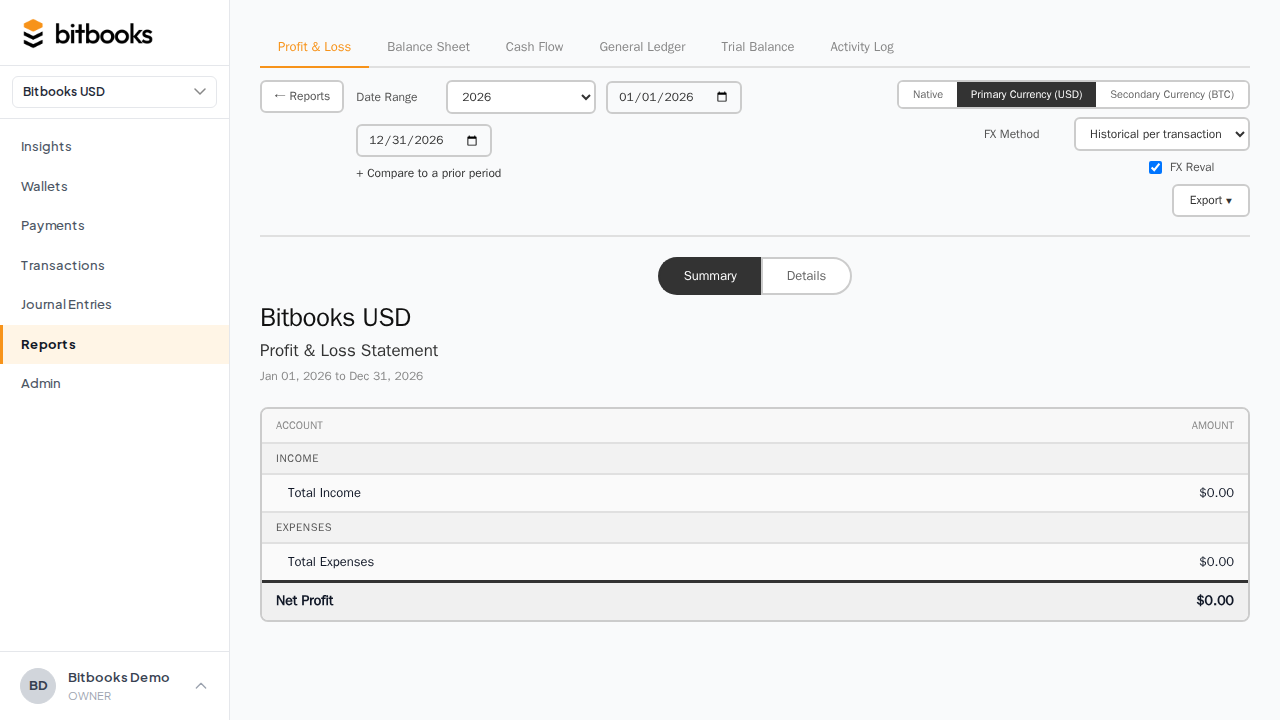
Skim the transactions. Often the number is right; one big transaction (an annual subscription) accounts for the unexpected total.
Step 2: filter by date
If the number covers a longer period than you thought, change the date range:
- "Year to date" includes January through today; that's potentially 12 months in December
- "Last month" might be the calendar month or rolling 30 days; check
- Custom ranges let you pinpoint
A number for a custom March 1-15 will look different from a number for all of March.
Step 3: check the currency
If your organization has a reporting currency (a secondary view), reports can display in either functional or reporting currency. The toggle is at the top of the report.
If the number is in a different currency than you thought, the absolute value will look different. Confirm which currency the report is showing.
Step 4: check for posted-but-not-cleared
Reports include all Posted entries by default. Posted-but-not-yet-cleared transactions affect the numbers.
If you expect "the cleared portion only," that's a different filter. The Reconciliation report or a custom GL view can isolate cleared vs not.
Step 5: check for archived accounts or wallets
If you archived a wallet that had transactions, those transactions still affect historical reports. They might show under a "(archived)" tag.
Toggle "Show archived" on the Chart of Accounts or Wallets to see archived items. If a number is appearing because of an archived item, you can either:
- Accept it (the historical data is valid; archiving just hides the entity from new entries)
- Investigate whether the archive was a mistake (re-activate if so)
Step 6: run the Trial Balance
If a number on the Balance Sheet or P&L looks wildly wrong (off by hundreds or thousands more than you'd expect), the issue may be deeper than a single transaction.
Run Reports → Trial Balance. If debits don't equal credits, there's a data integrity issue. See Trial Balance.
Mismatched Trial Balance = real bug. Contact support before trying to fix.
Common causes of "wrong" numbers
Drafts you forgot about
Drafts don't show on reports, but you may be expecting them to. Check the Transactions / Journal Entries pages filtered to status = Draft. Real but un-posted entries wouldn't be in your reports yet.
Period-end timing
A transaction dated April 30 vs May 1 might land on different months. If a vendor invoice arrived on May 2 for April 28 work, the date you used affects which month it hits.
Accrual vs cash differences
If your books are accrual basis (BitBooks default), revenue is recognized when earned (invoice date), not when paid. A January invoice paid in February shows as January revenue, not February.
This trips up users who expect cash-basis ("I haven't gotten the money yet, why is it on the P&L?").
FX conversion artifacts
Multi-currency transactions translate to functional currency at the rate of the day. If rates moved, totals can look off compared to a "naive" sum.
Reversed entries
A reversed entry has zero net effect (it cancels itself), but if you're looking at the original entry alone, you might see it in the GL with status Reversed. The reversal is a separate entry. Both stay in the audit trail.
Account categorization changed
If you reclassified an account (changed its sub-type), the report layout shifts. The number didn't change; its location did.
What to do if the number is genuinely wrong
If after drilling, you've identified that a transaction is wrong (wrong amount, wrong account, wrong date):
If the transaction is a Draft
Edit it directly. Save.
If the transaction is Posted (in current period)
Reverse it. Post a new corrected entry. See Reversing a Posted Entry.
If the transaction is in a closed period
Don't reopen the period casually. Post a current-period correcting entry instead. See Period Close.
What to do if you can't find the cause
If after drilling, filtering, and investigation, you still can't explain the number:
- Run the Trial Balance for the period; verify debits = credits
- Run the Activity Log for the period; look for unusual changes
- Re-run the report after re-fetching pending rates
- Contact support with the report, the period, and what you've checked
Most "wrong" numbers turn out to have a logical explanation. Some are bugs. Either way, support can help.
Common questions
"My P&L for last month is different than what I exported last week."
If the period was open at the time of the export, new entries (or edits) since then could change the number. Once a period is closed (Lock Date set), the numbers should be stable.
"My YTD is off by exactly the amount of one transaction."
Drill in. Check the date of the transaction; is it actually within the YTD range? Sometimes a transaction landed in a different month than expected.
"My Insights page numbers don't match my Reports page numbers."
Should match. If they don't, possible causes: different date ranges, different currency views, the Insights page caching while Reports is live (try refreshing). If still mismatched, contact support.
Where to go next
- Trial Balance for the books-health-check
- General Ledger for transaction-level detail
- Activity Log for the audit trail
- Reversing a Posted Entry for fixing a wrong posted entry
- My Wallet Balance Doesn't Match for wallet-specific number issues