What the reporting currency is
The reporting currency is an optional second currency that shows alongside your functional currency on reports.
Your books stay in your functional currency (USD, CAD, EUR, etc.). The reporting currency is a parallel display: every line on every report can also be shown in the reporting currency, translated using the exchange rate at the report's date.
It's the answer to "I do business in CAD but my parent company wants to see USD."
For the broader picture, see The Three-Currency Model Explained.
When to set one
Common cases:
- Cross-border parent. Canadian sub reporting to US parent. Functional CAD, Reporting USD.
- International investors. UK business with US investors. Functional GBP, Reporting USD.
- Bitcoin-functional + fiat reporting. A treasury company that books in BTC but stakeholders think in USD. Functional BTC, Reporting USD.
- Multinational consolidation. A group of subs that all report in the parent's currency.
If none of these apply: skip it. Functional currency alone is enough. Most small businesses don't set a reporting currency.
How to set it
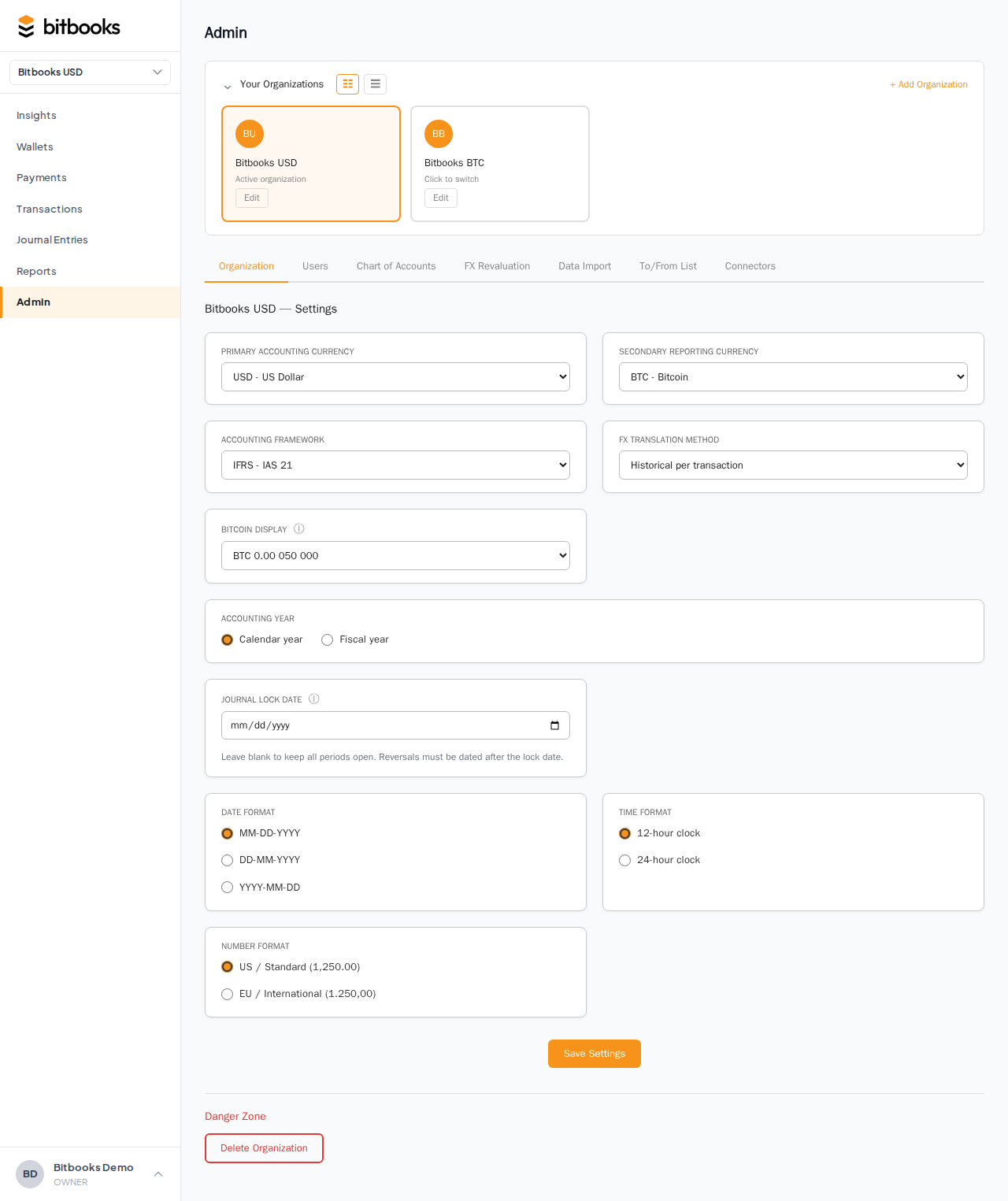
- Admin → Settings
- Find Secondary reporting currency
- Pick from the dropdown (USD, EUR, GBP, CAD, AUD, CHF, CNY, etc.) or leave blank for none
- Save
The change applies immediately. Reports now offer a toggle between functional and reporting currency display.
Where it appears
Once set, the reporting currency shows up:
- On the Insights page, KPIs and balances can be shown in either currency
- On reports (P&L, Balance Sheet, etc.), there's a currency toggle at the top
- On wallet snapshots, balances are shown in their native currency with the reporting currency equivalent in smaller text
- On exports (PDF, Excel), the reporting currency view is selectable
You're never forced to use one or the other. The toggle lets you flip.
How translation happens
The reporting currency view is a translation of the functional currency numbers, not a re-recording.
For each report:
- BitBooks looks up the functional → reporting rate at the report's end date
- Multiplies every functional value by that rate
- Displays the result
The underlying entries don't change. They keep their original transactional and functional values. Only the display is translated.
This is consistent with how IFRS and GAAP handle reporting-currency translation. The functional currency is the "real" denomination; the reporting currency is a convenience view.
Which rate is used
For a Balance Sheet "as of December 31," the rate used is the December 31 rate (the closing rate).
For a P&L "for January through December," there's a choice:
- Closing rate (the rate at December 31). Simple but introduces some FX distortion in the P&L.
- Period average (the average rate over the period). More accurate for income statement translation under some standards.
- Historical per transaction (each transaction translated at its own date's rate). Most accurate but computationally heavier.
The default is Historical per transaction. You can change in Admin → Settings under FX translation method.
Changing the reporting currency
Unlike the functional currency, the reporting currency can be changed any time without an audit reason. It's a display preference.
- Admin → Settings
- Pick a different reporting currency or set to None
- Save
All historical reports re-translate using the new currency. No data changes; just the display.
Common scenarios
Canadian sub reporting to US parent
- Functional: CAD
- Reporting: USD
- Books are kept in CAD (matches Canadian operations)
- Parent sees consolidated reports in USD with CAD as detail
Bitcoin treasury with fiat investors
- Functional: BTC
- Reporting: USD
- Books are denominated in sats and BTC (matches treasury thinking)
- Investors see USD equivalents alongside
Multi-currency e-commerce
- Functional: USD (where the business is incorporated)
- Reporting: EUR (for the European shareholder block)
- Three-way visibility: USD on the books, EUR for the shareholders, transactional currencies preserved per entry
What the reporting currency does NOT do
- It doesn't change tax filings. Most jurisdictions require filings in the local currency. Use the functional currency view for those.
- It doesn't add a new column to every transaction. It's a translation at the report level.
- It doesn't affect how new transactions are entered. You enter transactions in the wallet's native currency. The reporting display computes from the functional value.
Common questions
"Why is my Balance Sheet's functional total slightly different from the reporting total?"
Translation at different rates. Each line's reporting value is computed using the line's rate. Aggregating produces a slightly different total than translating the aggregate. This is normal and expected; small differences are accounting-standard-acceptable.
"Can I have two reporting currencies (one for Europe, one for the US)?"
Not yet. One reporting currency at a time. Workaround: switch the reporting currency for each export.
"How do I export a report in the reporting currency?"
On the report, toggle to reporting currency, then click Export. The exported PDF/Excel reflects the displayed currency.
Where to go next
- Setting Your Functional Currency for the primary currency choice
- The Three-Currency Model for the broader framework
- How Currency Conversion Works for the rate mechanics
- Multi-Currency Reports for the detailed report-level view