When to split
A "split" is one transaction that touches multiple categories on one side.
Example: you spent $200 on the company credit card. The receipt was for office supplies ($150) AND a marketing item ($50). One charge, two purposes.
Without a split, you'd record it as one transaction and pick a single category, which is wrong (you'd inflate one and miss the other). Or you'd create two separate transactions for $150 and $50, which doesn't match what actually appeared on your card statement (one $200 charge).
A Split transaction solves this. One transaction, $200 total, with two categories sharing the amount.
How splits work
A Split transaction has:
- One wallet (the source or destination)
- One total amount
- Multiple line items, each with its own category and sub-amount
- The line items add up to the total
Example:
Wallet: Company Credit Card
Direction: Money out
Total amount: $200

Line items:
  Office Supplies      $150
  Marketing            $50
Total of line items: $150 + $50 = $200. Matches.
How to create a split
- Transactions → New Transaction
- Mode: Split
- Pick the wallet
- Pick the direction (money in or out)
- Enter the total amount
- Date and contact (optional)
- In the lines section, click Add line for each category
- Pick the category and the amount for each line
- Make sure the line totals match the transaction total
- Save and post
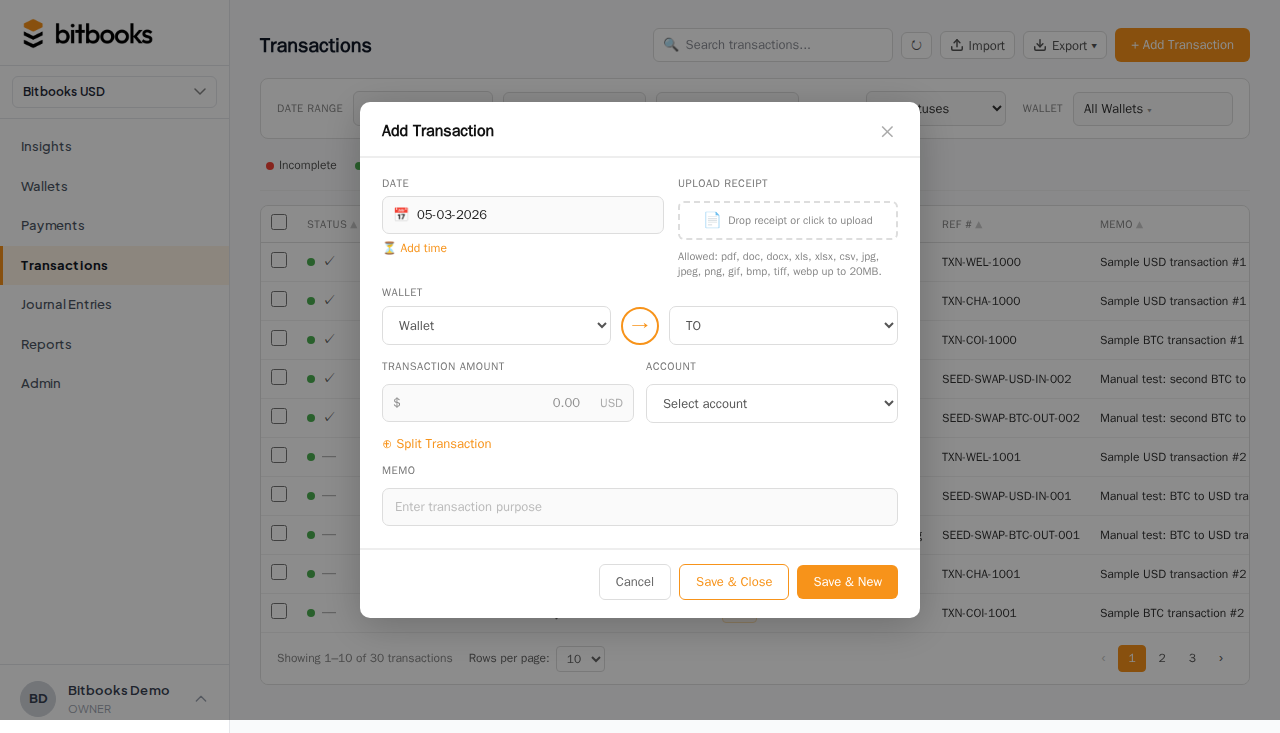
If line totals don't match the transaction total, the form shows a difference and won't let you post.
When you'd use Split
Common cases:
- A single credit card charge that covered multiple categories
- A single bank deposit that combined multiple sources of revenue
- A vendor invoice that itemized different services
- A wire that paid both rent and utilities in one go
- A customer payment that covered an invoice + a tip
Anywhere one payment / receipt represents multiple business reasons.
When NOT to use Split
- Money flowing between two of your own wallets. Use Transfer instead.
- A payment to multiple vendors. Each vendor is a separate transaction (different contacts).
- A long itemized invoice. If you have 30 line items, that's painful as a Split. Either summarize at a higher level (a few categories that sum to the total) or use the Payment Requests feature, which is designed for itemized invoices.
Splits and the Chart of Accounts
Each line item targets a single account from the Chart of Accounts. The split affects all those accounts simultaneously.
In the example above:
- Office Supplies (Expense account) goes up by $150
- Marketing (Expense account) goes up by $50
- Company Credit Card (Liability account) goes up by $200 (you owe more)
All in one transaction.
Editing a split
If the transaction is a Draft, you can edit anything: change line totals, add or remove lines, change the total. Just make sure the math still balances.
If the transaction is Posted, the line items are locked along with the rest. Reverse and re-post to make changes.
A worked example
You bought groceries for an event. Receipt:
- Cheese platter: $80 (food for the event)
- Disposable plates: $20 (supplies for the event)
- A small lunch for yourself while shopping: $15 (your meal, NOT a business expense, you'll reimburse the company personally)
The credit card was charged $115.
Two ways to handle this:
Option A: split the business portion
Record only the business expense. Create a Standard transaction (not a Split) for $100, category "Event Supplies." The $15 personal lunch is an owner draw or a personal repayment to the company, recorded separately.
This is cleaner if you'll repay personally.
Option B: full split with owner-draw line
If the credit card statement shows the full $115 and you want it all in BitBooks:
Wallet: Company Credit Card
Total: $115

Lines:
  Event Supplies (cheese)     $80
  Event Supplies (plates)     $20
  Owner's Draw                 $15
The $15 to Owner's Draw means: company spent $15 that wasn't business; this counts as the owner taking $15 from the company. The owner separately deposits $15 to repay, which becomes another transaction.
Either approach works. Option A is simpler. Option B is more rigorous.
Splits with line-level contacts
You can set a different contact per line in a split if needed. Most splits use the same contact (the vendor) for all lines, so the per-line contact field isn't usually filled. But it's there if you need it.
Example: a wire to a third-party processor that handled payments to multiple vendors. The wire's main contact is the processor; each line might have a different vendor as its line contact.
Where to go next
- Creating a Transaction (Simple Mode) for the general entry tool
- Recording a Wallet-to-Wallet Transfer for transfers (the third Simple Mode mode)
- The 10 Transaction Templates for shortcuts to common shapes
- Creating a Journal Entry (Advanced Mode) for the most flexible entry tool