What a transfer is
A transfer is moving money from one of YOUR wallets to another of YOUR wallets. No third party.
Examples:
- Moving 0.1 BTC from your Lightning hot wallet to cold storage
- Moving USD from your operating bank account to a savings account
- Sending sats from Blink to your hardware wallet
- Buying or selling Bitcoin (which is a transfer between your fiat wallet and your BTC wallet, see Recording a Bitcoin Purchase)
This is different from paying a vendor, receiving from a customer, or any transaction with someone outside your business.
Why transfers need their own treatment
If you recorded a transfer as two separate transactions (one money-out from the source wallet, one money-in to the destination wallet), they'd each look like real business activity:
- The money-out might be classified as an expense
- The money-in might be classified as income
That would inflate both expenses AND income. The P&L would show $1,000 of "revenue" and $1,000 of "spending" that didn't actually happen.
Transfers neutralize this. A transfer doesn't appear on your P&L at all. It's just a movement of money between your own pockets, no impact on profit.
How to record a transfer
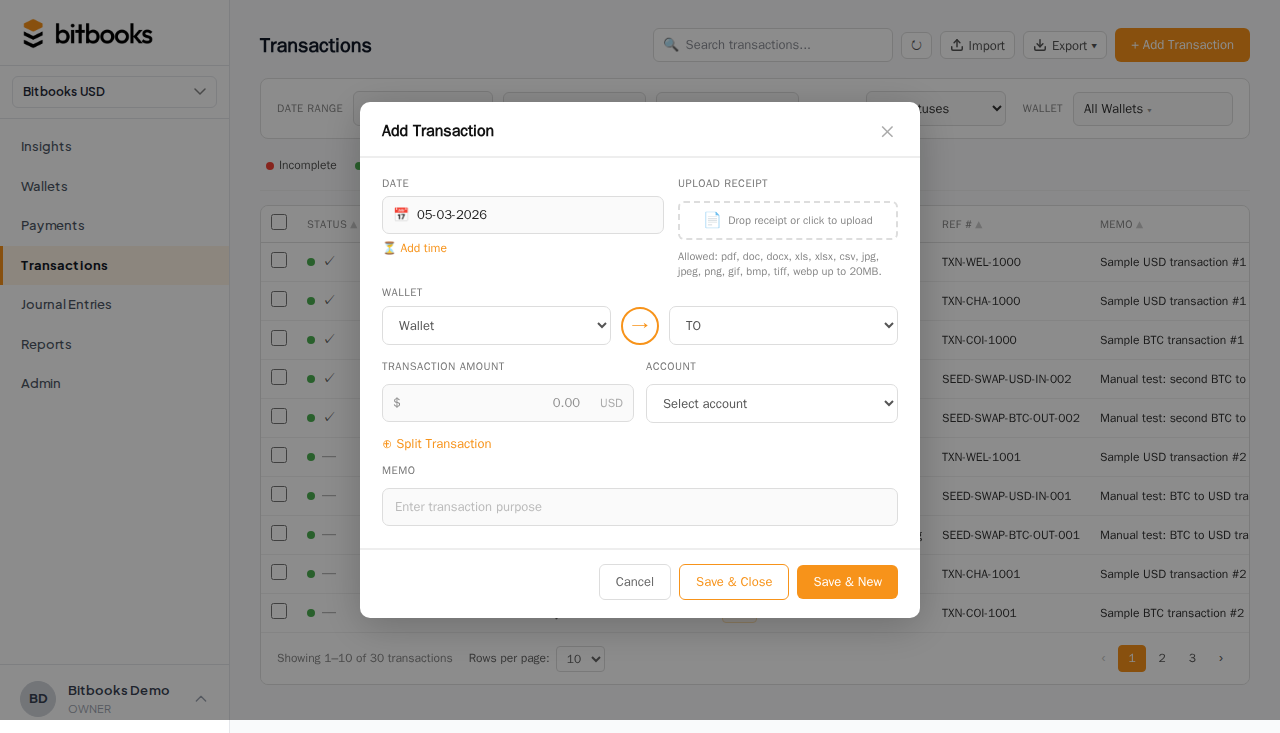
- Transactions → New Transaction
- Mode: Transfer
- Pick the From wallet and From amount
- Pick the To wallet and To amount
- Date and optional memo
- Save and post
Same currency vs different currency
Same-currency transfer
Both wallets are in the same currency (USD to USD, BTC to BTC, etc.).
- From amount = To amount
- The amount is the same on both sides
- No exchange rate to worry about
Example: moving $5,000 from operating checking to savings.
Different-currency transfer (a buy or sell)
The wallets are in different currencies (USD to BTC, BTC to USD, etc.).
- From and To amounts are different (because they're different units)
- An implicit exchange rate is set by the ratio
- This is how you record a Bitcoin purchase or sale
Example: $9,000 USD to 0.1 BTC. Implicit rate: $90,000 per BTC.
See Recording a Bitcoin Purchase and Recording a Bitcoin Sale for the buy/sell scenarios.
Transfer fees
Many transfers charge a fee:
- On-chain Bitcoin transfers cost network fees
- Wires between banks cost bank fees
- ACH transfers are usually free
- Lightning transfers are usually free or near-free
Three ways to handle the fee:
Bake it in
If you send 0.1 BTC and 0.0995 arrives (0.0005 lost to network fee), record:
- From amount: 0.1 BTC
- To amount: 0.0995 BTC
The fee is implicit in the amount difference.
Itemize as expense
In Advanced Mode (Journal Entries), do three lines:
| Account | Debit | Credit |
|---|---|---|
| Cold Storage Wallet | 0.0995 BTC (in fiat value) | |
| Network Fees Expense | 0.0005 BTC (in fiat value) | |
| Hot Wallet | 0.1 BTC (in fiat value) |
Now the fee shows up on your P&L as an expense.
Ignore for small fees
If the fee is negligible (sub-dollar Lightning routing fee), most small businesses don't bother itemizing. Bake it in and move on.
Linked transfers
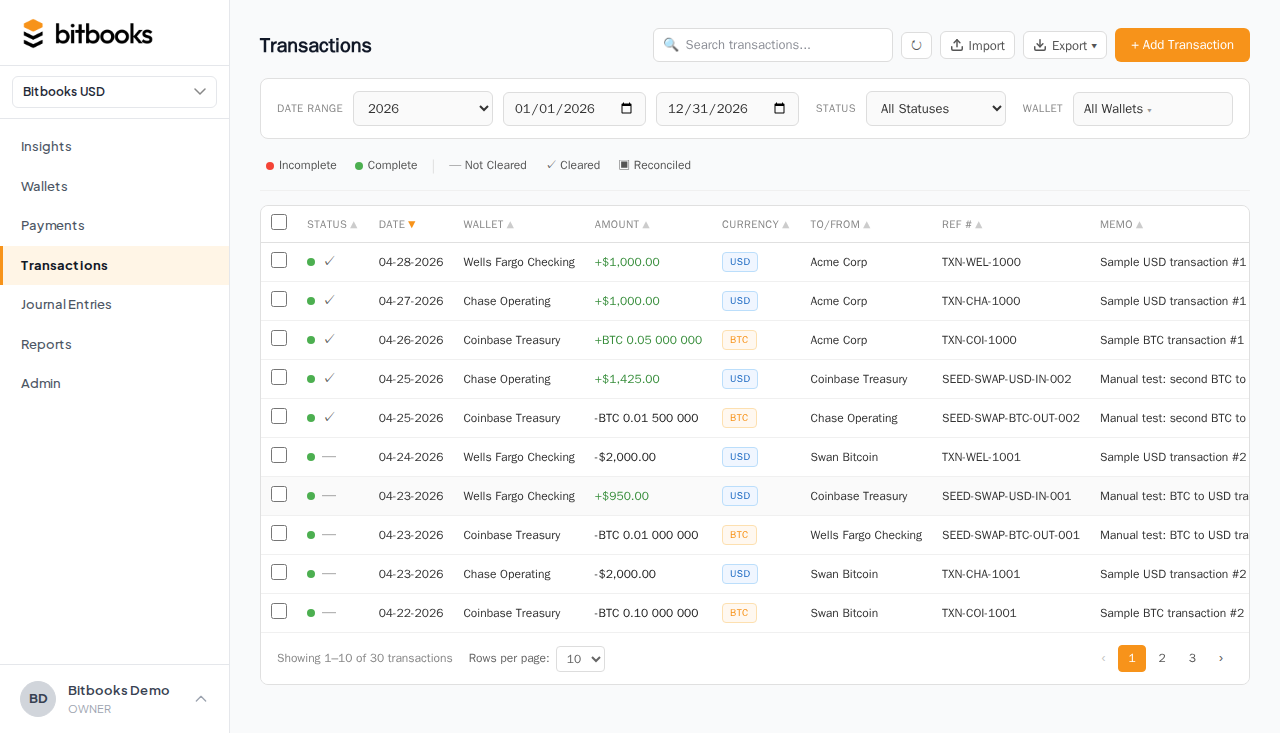
If you record both sides of a transfer separately (as two transactions instead of one), BitBooks can link them so they're treated as a transfer pair.
The "Link transfer" feature on the Transactions page lets you select two opposite-direction transactions in different wallets and pair them. They then appear as a transfer rather than as two unrelated movements.
This is useful when:
- Auto-sync imported the two sides separately and you want to merge them
- You forgot to use Transfer mode and recorded the two sides as Standard transactions
Transfers and the Trial Balance
A transfer is internally balanced: the From side reduces one wallet, the To side increases another, and the totals match. The Trial Balance treats it like any other balanced entry.
If you have multi-currency transfers (different From and To currencies), the balancing happens in your functional currency using the exchange rate. As long as the rate at the time was correct, the Trial Balance stays balanced.
Common scenarios
Moving sats from hot to cold
Most common Bitcoin business transfer. Click Transfer, From: hot wallet, To: cold storage, amount: same on both sides, save.
Sweeping a bank account into a savings account
Same pattern, USD to USD instead of BTC to BTC.
Bitcoin purchase via exchange
A multi-step transfer chain:
- Bank → Coinbase USD balance (transfer)
- Coinbase USD → Coinbase BTC (transfer at the trade rate, this is the actual purchase)
- Coinbase BTC → Hardware wallet (transfer of BTC)
Each step is its own transfer. Together they tell the full story.
Returning a transfer (correction)
If you accidentally sent BTC to the wrong wallet and need to send it back, that's another transfer. Record it. Both transfers stay in the audit log.
What a transfer is NOT
- A sale to a customer (use a Standard transaction with money-in direction and a customer contact)
- A purchase from a vendor (use a Standard transaction with money-out direction and a vendor contact)
- A payroll payment (use a Standard transaction or a journal entry, depending on payroll setup)
- A loan repayment (Standard transaction with the lender as contact)
If the other party is someone outside your business, it's not a transfer.
Where to go next
- Recording a Bitcoin Purchase for the buy-side transfer pattern
- Recording a Bitcoin Sale for the sell-side transfer pattern
- Creating a Transaction (Simple Mode) for the general entry tool
- Linking Two Transactions as a Transfer for after-the-fact pairing