The short version
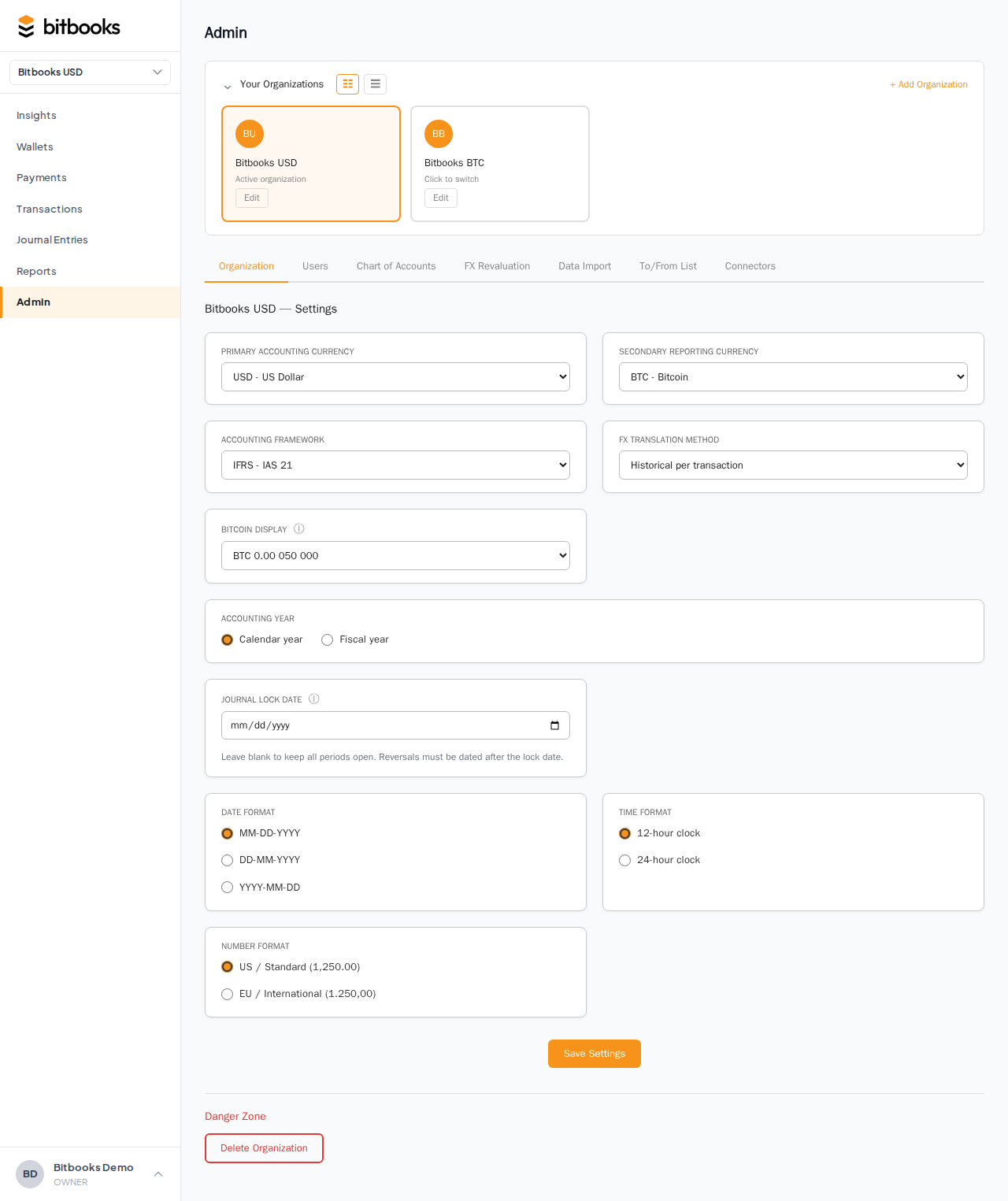
Once you set the Journal Lock Date, every entry dated on or before that date is locked. The lock means:
- Cannot create new entries dated in the locked range
- Cannot edit core fields (amount, date, accounts, currencies) of entries in the locked range
- Cannot delete entries in the locked range
- Cannot reverse-in-place (reversal still allowed but lands in current period)
- Cannot mark unreconciled-as-reconciled in the locked range (reconciled in the past stays as reconciled)
The lock applies to ALL users including Owners and Admins. There's no "I'm the boss, I can override" mode. The only way to change anything is to first unlock the period.
What you can still do in a locked period
A few actions stay allowed even after locking:
- View entries. Reports for the locked period still work, transactions still display
- Update memos and attachments on locked entries (these are non-numeric, don't affect reporting)
- Update contact on locked entries (re-link to a different vendor or customer if you typed the wrong contact)
- View the audit log of who did what in the locked period
The lock targets numbers, not metadata.
What gets blocked
Concrete examples of actions that fail:
- Creating a new transaction with date 2026-03-15 when the lock date is 2026-03-31. Error: "This period is closed. Choose a date after 2026-03-31."
- Editing a posted journal entry from February to change the amount. Error: "Locked period. Use Reverse instead."
- Deleting a locked draft (drafts in locked dates can't be deleted either, since their date predates the lock). Error: "Locked period."
- Setting the cleared status on an old transaction. Error: "Locked period."
The error message includes the lock date so you know what's blocking you.
The Reverse function still works
Reversing a locked posted entry IS allowed. It creates a reversing entry dated in the current period (today's date), not in the locked period.
This is a deliberate compromise:
- The locked period stays exactly as it was (its numbers don't change)
- The reversing entry lands in the current period (where it can correct things going forward)
- Both entries stay in the audit trail
If you reverse a March entry on May 15, the reversal lands in May. March's numbers don't shift.
Reports for locked periods
Reports for locked periods are stable. Run a P&L for March in May, or in October, or next year, and you'll get the same numbers.
This is the whole point of locking: stability of historical reports.
Reports for periods that span the lock date (e.g., year-to-date when lock is March but you're running through May) include both locked and unlocked data. The locked portion can't change; the unlocked portion can.
How auto-sync interacts with the lock
If a wallet auto-syncs and a transaction is dated in a locked period (e.g., a delayed sync surfaces a transaction from March, but March is now closed):
The auto-sync creates the transaction as a Draft.
You try to post it: blocked, because the date is in the locked period.
Two options:
- Change the date to current period (compromises accuracy slightly but accommodates the lock)
- Reopen the locked period briefly, post the entry in its correct date, then re-lock
Most teams pick #1 for small late-arrivals and #2 for material ones. Talk to your accountant about which to do for your situation.
How the Lock Date moves
The Lock Date is a single value. You move it forward when you close the next period.
Examples:
- Close March: lock date = 2026-03-31
- Close April: lock date = 2026-04-30 (covers everything through April)
- Close May: lock date = 2026-05-31
Each new lock date supersedes the prior one. You don't have separate locks for each period; they all roll up into the latest lock date.
The lock never goes backwards in normal operation. If it does (you set it to an earlier date than before), that's a "reopen" operation, see Reopening a Closed Period.
What the audit log shows
When you set or change the Journal Lock Date:
- The change is recorded in the Activity Log
- The user, date, and the new lock date are stored
- Anyone reviewing the Activity Log can see when periods were closed (and reopened, if applicable)
This matters for accountant and auditor review. Period locking is a governance event, not a hidden setting.
Multiple lock dates? (Future)
For now, BitBooks has one lock date that applies to all entries.
A roadmap item: separate lock dates for different roles. For example, a "soft lock" for general users while accountants can still post adjustments without unlocking. This would mirror QuickBooks' "closing date with password" feature.
Not in V2 today. The single lock date applies uniformly.
Common questions
"What if I want to allow an external accountant to post in a locked period?"
Today: temporarily reopen the period, accountant posts, re-lock. Mildly inconvenient but works.
Soon: the role-aware lock (see above).
"Can I see when a period was last closed/reopened?"
Yes, in the Activity Log. Filter by entityType "Organization" and look for journalLockDate changes.
"What if my accountant closed the period months ago and I just realized I need to add a March transaction?"
Don't reopen casually. The standard accountant move:
- Post the transaction in the current period instead, with a memo noting the actual occurrence date
- Or, if the amount is material, reopen, post in March, re-lock, and inform your accountant
For tax purposes, what matters is when the income/expense was recognized. Talk to your accountant about whether a current-period correcting entry is acceptable.
Where to go next
- Period Close for the broader concept
- How to Close a Month for the close walkthrough
- Reopening a Closed Period for the unlock procedure
- Reversing a Posted Entry for in-period corrections
- Activity Log to see when periods were closed and by whom